
Skip to content

How to Submit a Highlight

Highlights can be submitted to LiveBarn from Video On Demand (VOD) by locating the highlight from a 30-minute VOD segment.  

When you submit your highlight, our social media team will review it for possible publication on LiveBarn social media channels. Be sure to follow us on Instagram, Twitter and Facebook to share your post! 


Helpful tips

Keep the following things in mind when submitting a highlight:
  • VOD is only available for 30 days, after that the video is unavailable.

  • Highlights submissions are 30 seconds. When you pause the video to submit, the 30-seconds that happened before you pressed pause will be the Highlight submitted.

  • Your highlight will submit based on the feed mode you are watching - pano or auto.

  • Provide as much detail as you would like to have shared on social media.  More information about the team, league or event and type of play is helpful!

  • Not all highlights are used on Livebarn social media channels.

From Web Browser

How To Order Step 1-1

Step 1

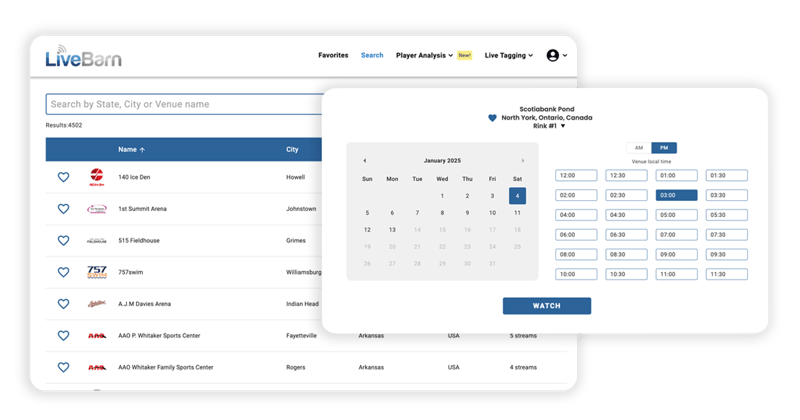
Log in to LiveBarn on your web browser. Locate your game On-Demand by finding the venue and using the calendar. Choose the time segment that contains your Highlight. 
Submit Highlights Web-1

Step 2

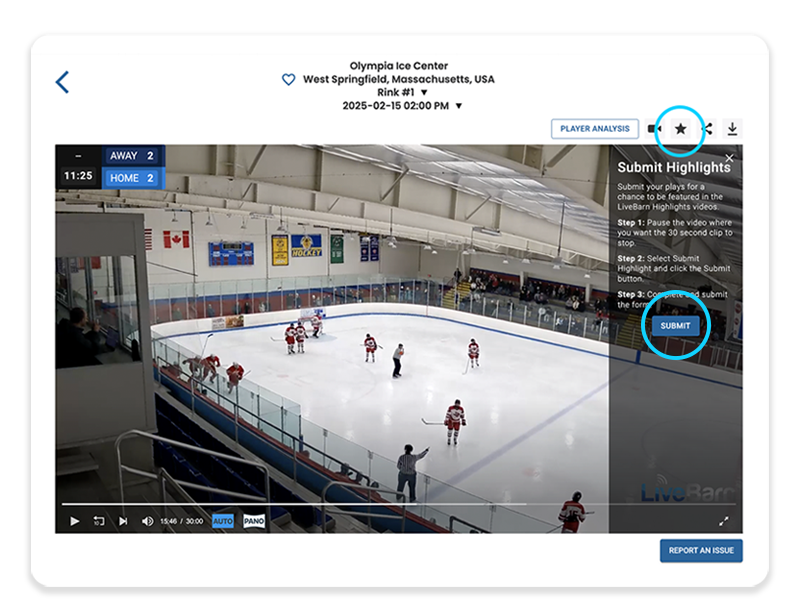
Click the star icon above the video player screen (this is not visible while viewing full screen). Instructions will appear. Pause the video where you want your 30-second Highlight to end and then press the SUBMIT button.
 

Submit Highlights Web Form

Step 3

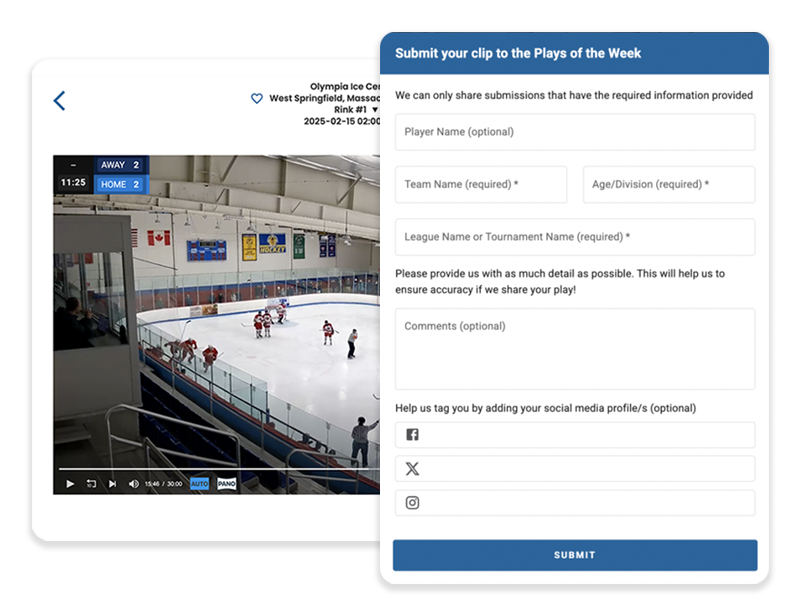
Fill in the player name (optional), team name, age/division, league/tournament name and any additional comments or social media handles then SUBMIT.
From Mobile App (iOS or Android)

iphone vod calendar side by side

Step 1

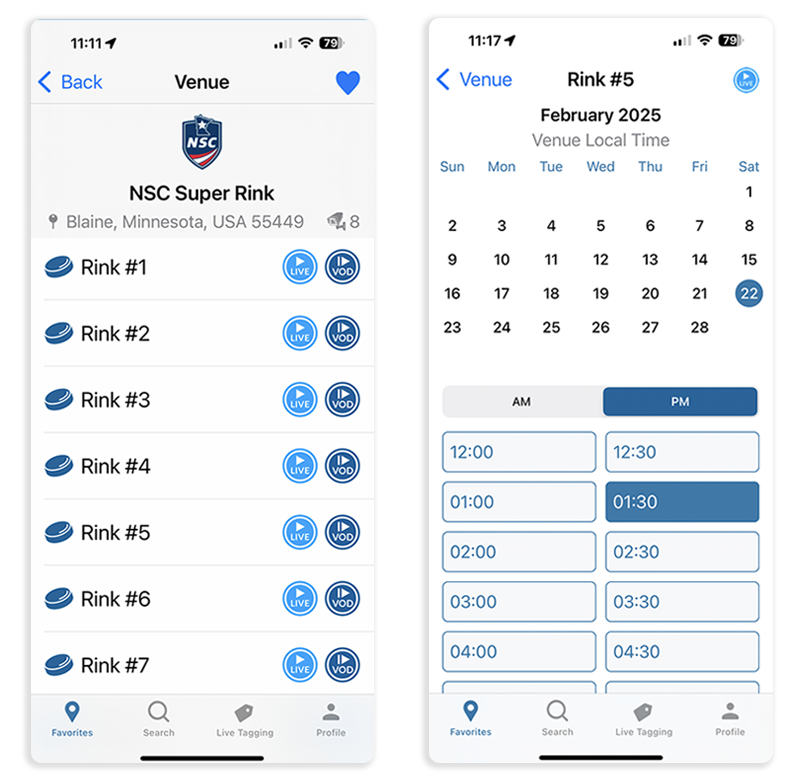
Log in to LiveBarn on your mobile app. Locate your game On-Demand by finding the venue and using the calendar. Choose the time segment that contains your Highlight. 
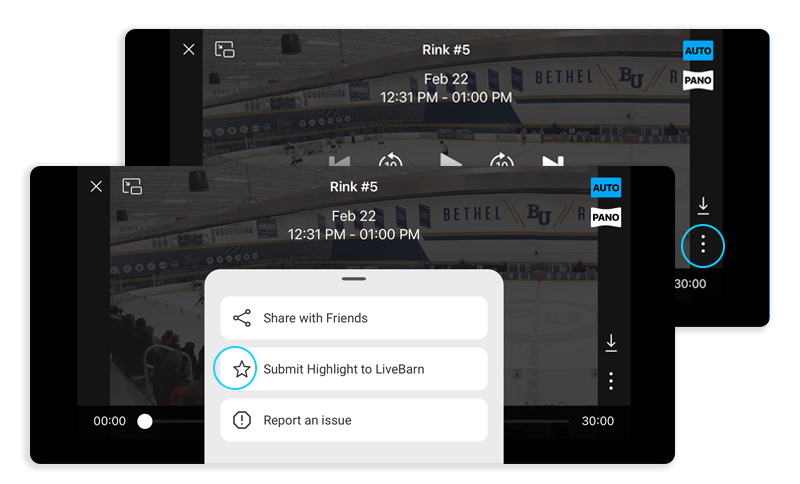
submit highlight

Step 2

Tap on the screen to pause the video where you want your 30-second Highlight to end. Tap the three dots in the bottom right-hand corner and choose “Submit Highlight to LiveBarn"
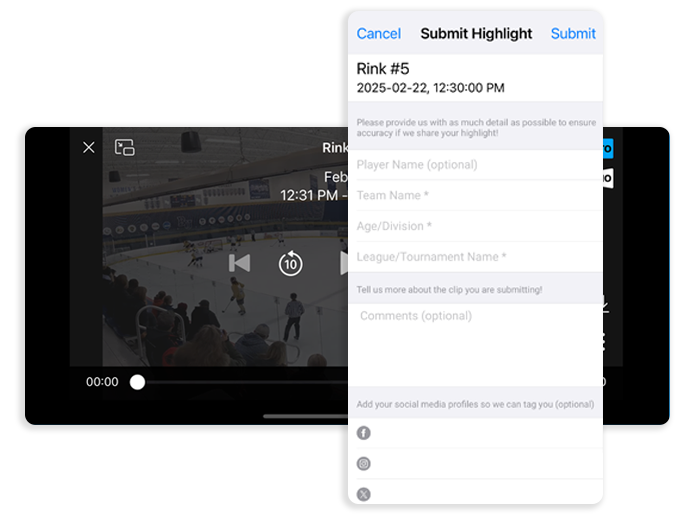
 

Highlight Submit Form Image

Step 3

Fill in the player name (optional), team name, age/division, league/tournament name and any additional comments or social media handles and click submit.

Submit your highlights and follow LiveBarn

LiveBarn's shares a select amount of highlight submissions. Provide as much detail as you can about your exciting play and let us know why your highlight should be featured on our channels.
 
Follow LiveBarn on our social media channels.
Social Media Shares